

Big-Screen Clarity and Around View Confidence — 2026 Nissan Kicks Tips for Poquoson, VA Drivers
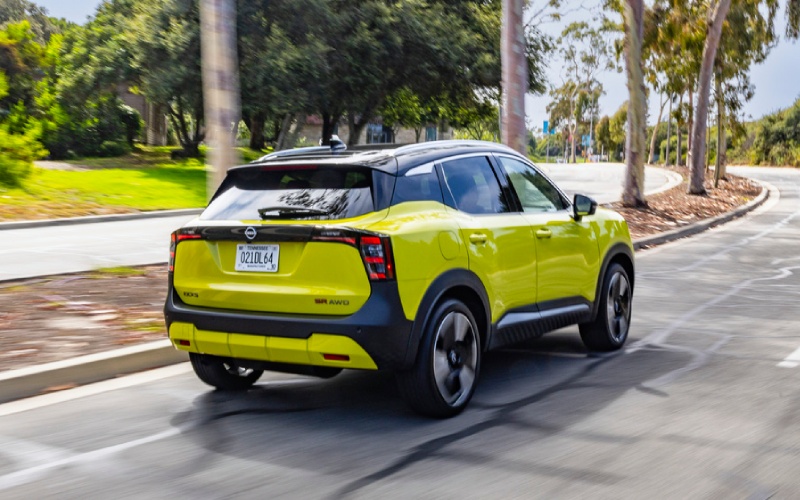
Nissan of Hampton – Big-Screen Clarity and Around View Confidence — 2026 Nissan Kicks Tips for Poquoson, VA Drivers
Parking on tight side streets, sliding past parked pickups near boat ramps, and navigating school pickup lines — that’s a typical afternoon around Poquoson. The 2026 Nissan Kicks tackles this everyday maze with two standout technologies: the available dual 12.3-inch “Monolith Display” and the available Intelligent Around View® Monitor. Set up correctly, they work together to lower your heart rate when space gets snug and make the cabin feel organized and calm when life gets busy.
This guide walks you through practical, real-world ways to get more from both features, including quick setup steps, pro tips for camera views around curbs and bollards, and a few advanced touches that pay off in daily driving. Whether you’re backing into a spot at Poquoson Municipal Park or easing into a street-space near Messick Point, you’ll feel the difference in day-one confidence.
Get the Monolith Display Working for Your Day
The Kicks’ available dual 12.3-inch screens are wide, bright, and highly configurable — which is great, but it also means a few minutes of setup time will reward you every mile. Start by choosing a clean home layout: primary navigation with turn-by-turn directions left, customizable widgets right. Add audio, weather, and a compact camera widget to the companion screen so your most-used info lives where your eyes naturally land. Then tune display brightness to match your commute — brighter for sunlit stretches on Victory Boulevard, dimmer for pre-dawn trips to the marina. Finally, pair your phone for Wireless Apple CarPlay® or Android Auto™ and set your go-to apps in the first row so there’s no hunt-and-peck at a red light.
Intelligent Around View Monitor — More Than a Backup Camera
Poquoson streets can be narrow and crowned, with uneven shoulders where sand meets asphalt. That’s where the Intelligent Around View® Monitor shines. It blends multiple cameras for a composite, top-down perspective — essentially a spotter when you don’t have one. When parallel parking by a crowded curb, switch to the split-screen mode that shows front or rear plus the “bird’s-eye” view. As you angle in, the perimeter lines help you gauge how close you are to a wheel-scraping curb. For angled or perpendicular spaces, use the front-camera view to see parking stops and low obstacles that can disappear below the hood line. The result is calm, predictable motion in tight spaces where guesswork used to live.
Quick Setup: Must-Do Steps on Day One
- Pair your phone: Enable Wireless Apple CarPlay® or Android Auto™ and set preferred audio, podcast, or map apps in your favorites row.
- Customize widgets: Place navigation next to audio so you can monitor both at a glance, then add a compact camera widget for quick tapping.
- Save camera presets: Practice toggling between front, rear, and side-split views in your driveway so muscle memory kicks in on busy streets.
- Tune alerts: Set parking sonar sensitivity to “medium” for a steady, helpful tone without chatter in crowded lots.
- Adjust brightness: Use the same day/night brightness you like on your phone — unnecessary glare goes away, essential info stays visible.
These small moves pay off immediately when you’re slipping into a spot along Wythe Creek Road or easing past a line of SUVs at school pickup.
Pro Tips for Curbs, Ramps, and Boat Trailers
Dock areas and boat ramps create a different set of challenges: slick surfaces, awkward angles, and tight clearances. When pulling forward toward a wheel stop or concrete lip, pop the camera into the front view and move slowly — the video feed gives you inches of clarity you’ll never get by “peeking” over the wheel. When backing around a blind corner — say, between a dumpster corral and a light pole — pair the rear camera with the bird’s-eye view so your path lines stay consistent. If you’re guiding a friend with a small trailer into a driveway, the Kicks’ composite view reveals the trailer’s pivot motion sooner, making micro-corrections easier. You’ll look like you’ve been doing this for years.
Remember, the Kicks backs its camera tools with standard Safety Shield® 360 and optional enhancements like ProPILOT Assist. On longer hops up to Grafton or across to Smithfield, turn on Intelligent Cruise Control with stop-and-go to take the edge off steady traffic, and let Intelligent Lane Intervention provide a gentle nudge if you drift near lane markings. The idea here isn’t hands-off — it’s heads-up, with calmer shoulders and more mental bandwidth for the road.
Ground Clearance and AWD — The Invisible Assistants
One of the best things about the Kicks is something you rarely think about until you need it: standard 8.4 inches of ground clearance. That extra height helps avoid scraping on lot entrances or when storm runoff leaves gravel ridges by curbs. And if you want extra grip for slick mornings or post-thunderstorm afternoons, available Intelligent All-Wheel Drive adds confident traction without changing the Kicks’ easy-to-park footprint. Pair that with the camera system and you get visibility plus capability — a one-two combo that suits Poquoson’s mix of cul-de-sacs, waterfront lanes, and shopping runs.
Inside, the available Bose Personal® Plus Audio System turns a short errand run into a little break, and the optional leatherette-appointed seating with sport cloth inserts brings a clean, modern vibe that wears well with daily use. If you enjoy dialing the cabin to your mood, it’s worth pairing your favorite streaming platform, loading a few saved playlists, and trying Bose’s sound-stage settings to widen or focus the experience.
Frequently Asked Questions:
How do I quickly toggle the camera views without digging through menus?
Use the physical camera button near the display when moving at low speed or in reverse. Tap to cycle views — front, rear, split, and top-down. Practice in your driveway so it becomes second nature downtown.
Does the Kicks show the curb when I’m parallel parking?
Yes. The side and front cameras feed the Around View display, and the composite bird’s-eye view helps you judge distance to curbs and obstacles more precisely than a traditional backup camera.
Can I use navigation full-width and still keep audio handy?
With the “Monolith Display,” you can run map data on the primary screen and place audio or other widgets on the companion pane, so both stay in view with minimal eye movement.
Is ProPILOT Assist standard?
ProPILOT Assist is available. It provides hands-on assistance with freeway cruising and can help with stop-and-go. Every Kicks includes standard Safety Shield® 360 for core driver assistance.
What’s the benefit of the Kicks’ ground clearance around Poquoson?
That extra height helps when pulling into angled drives, crossing moderate washouts post-storm, or easing past uneven lot edges without scraping the front fascia.
If you want help setting up your display layouts or calibrating camera alerts the way you like, visit us for a quick walkthrough — it takes minutes and pays off on every errand. And if you’re weighing trims for features like the available Intelligent Around View® Monitor, available Intelligent All-Wheel Drive, or the Bose Personal® Plus Audio System, our team at Nissan of Hampton can help you dial in the combination that best fits life around Poquoson. We’re proudly serving Grafton, Poquoson, and Smithfield with technology demos, quick-start tips, and test drives that focus on what matters most in your day.
Get your daily organization right on the big screens, tap into your camera views like a pro, and let the Kicks’ thoughtful engineering do what it does best — make tight spaces easier, commutes calmer, and weekends simpler.
When you’re ready to see the screens and cameras in action, schedule a visit and bring a few real parking challenges to the test drive checklist. You’ll be surprised how quickly the Kicks turns a tricky block into a simple, confident routine.
From curb-hugging parallel parks to quick grocery runs on Little Florida Road, the 2026 Kicks is built for Poquoson’s kind of everyday. With a smart setup and a few practice taps, you’ll feel at home in tight spaces and relaxed on longer drives — all with the smart, friendly tech that makes the cabin feel like yours from day one.
And because thoughtful ownership matters too, keep your Kicks feeling fresh with quick Express Service visits and genuine Nissan accessories that fit right the first time. If you’d like a one-on-one tech setup after delivery, just ask. Nissan of Hampton is happy to help you get more from every button, menu, and chime the first week you own it.
0 comment(s) so far on Big-Screen Clarity and Around View Confidence — 2026 Nissan Kicks Tips for Poquoson, VA Drivers